
On this page
We keep an eye on what other language apps ship, partly because it’s our job and partly because we tried a lot of them before we built Avita. This past month was unusually busy for anyone who cares about speaking. Two of the best-known apps in the category made changes aimed at getting people to talk, and one of them said so in a filing with the SEC.
Here’s what changed, with the dates and the sources, and what we think it means if you’re the person who has to actually open your mouth at a bakery, a job interview or a family dinner.
Duolingo says speaking exercises have doubled this year
Duolingo published its third-quarter shareholder letter on November 3. Most of it is about money, but one passage is about speaking, and it’s direct. The company calls getting learners to practice speaking more “one of our biggest priorities this year,” and says that since January, the proportion of exercises learners can answer by speaking has doubled.
The letter doesn’t give the actual share, before or after, so we don’t know if that means 5% to 10% or 20% to 40%. It’s still a change in what a Duolingo lesson asks of you, and it comes from the company itself, in a document it files with regulators.
The same letter also covers Video Call, Duolingo’s conversation practice feature:
- Since last quarter, new Super subscribers have had unlimited access to Video Call.
- Duolingo says it’s on track to give Video Call to all Super subscribers by the end of 2026.
- Because of that, it is retiring Duolingo Max, its top tier. In November it stops selling new Max subscriptions, and existing individual Max subscribers move to a Super family plan at the same price. Duolingo says it will decide what happens to Max family plans in 2027.
If you’re on Super, conversation practice that used to cost extra is coming to your plan. If you were waiting to buy Max for Video Call, you don’t need to.
Duolingo’s new flashcards ask you to say the word
On October 19, Duolingo’s blog introduced Image Flashcards. At the end of a lesson you see a picture and say the word out loud, with no answer choices to pick from. Miss it and you see and hear the right word, and the card comes back later. At the end you get a list of the words you struggled with. There’s a “Can’t speak now” button, too.
We like this one. Pulling a word out of memory with nothing on screen to lean on is harder than recognizing it in a list of four, and that difficulty is the useful part. It’s also a single word, not a sentence. That makes it vocabulary practice you happen to do out loud, which is fine, as long as you don’t expect it to get you through a conversation on its own.
Rosetta Stone explained its Sapphire relaunch
Rosetta Stone introduced Sapphire, a redesigned version of its app, in August. On November 10 its parent company, IXL Learning, published a longer release about it, calling Sapphire “the brand’s most significant product debut in more than a decade.” The release describes:
- the same Dynamic Immersion lessons (no translation; you learn from pictures and context) and TruAccent, its speech recognition that scores your pronunciation;
- Chat Missions, a virtual conversation partner for situations like booking dinner in Paris, with feedback on spelling and grammar and suggestions for more natural phrasing;
- Sapphire Studio, which makes custom study material such as reading guides and matching games;
- hundreds of topic flashcard sets, and live tutoring sessions with native speakers;
- all of it across 25 languages.
The detail that matters for speakers is in Rosetta Stone’s support page for Chat Missions: you type your replies. Chat Missions run only in a web browser, and the phone app opens them in your mobile browser. There are 25 scenarios, each with three goals, and corrections show up highlighted in green.
Typed conversation practice is good practice. You build your own sentences, which is the hard part, and you get corrected. But it trains your writing, and the gap most of our readers describe is the one between knowing what to say and saying it out loud in time.
Three questions to ask about any speaking feature
The direction of all this is good news. Duolingo’s letter calls speaking “the hardest skill to practice regularly,” and we agree. But “speaking practice” now covers very different things, and the label doesn’t tell you which one you’re getting. When we try a new feature, we ask three questions.
Who builds the sentence?
Repeating a phrase you just heard trains your mouth and ear. Saying a word when you see a picture trains recall. Producing a whole sentence from a meaning (“tell her you’d like the table by the window”) trains the thing a real conversation needs. Merrill Swain’s output hypothesis (1985) is the classic argument for that last kind: when you try to say something and can’t, you notice the gap, and that pushes you to learn what fills it. We wrote more about it in why speaking early works.
Do you say it or type it?
Typing gives you time to think and fix things before anyone sees them. Speaking doesn’t, and that pressure is the part you need to practice. Both are worth doing, but they’re different skills.
What gets corrected?
Some features score how you pronounced a word. Some mark you right or wrong. Some fix your grammar and explain why. Some deliberately don’t correct you at all, to keep the pressure low. Each choice is reasonable. Just know which one you’re getting, because a feature that never corrects your grammar won’t tell you that you’ve said the same thing wrong for a month.
This month’s changes, through those questions
Run this month’s changes through those questions and you get a fair picture. Duolingo’s Image Flashcards: you recall a single word, out loud, marked right or wrong. Rosetta Stone’s Chat Missions: you build your own sentences, typed, with grammar and spelling corrections. They train different things, and both are worth doing.
Where Avita sits
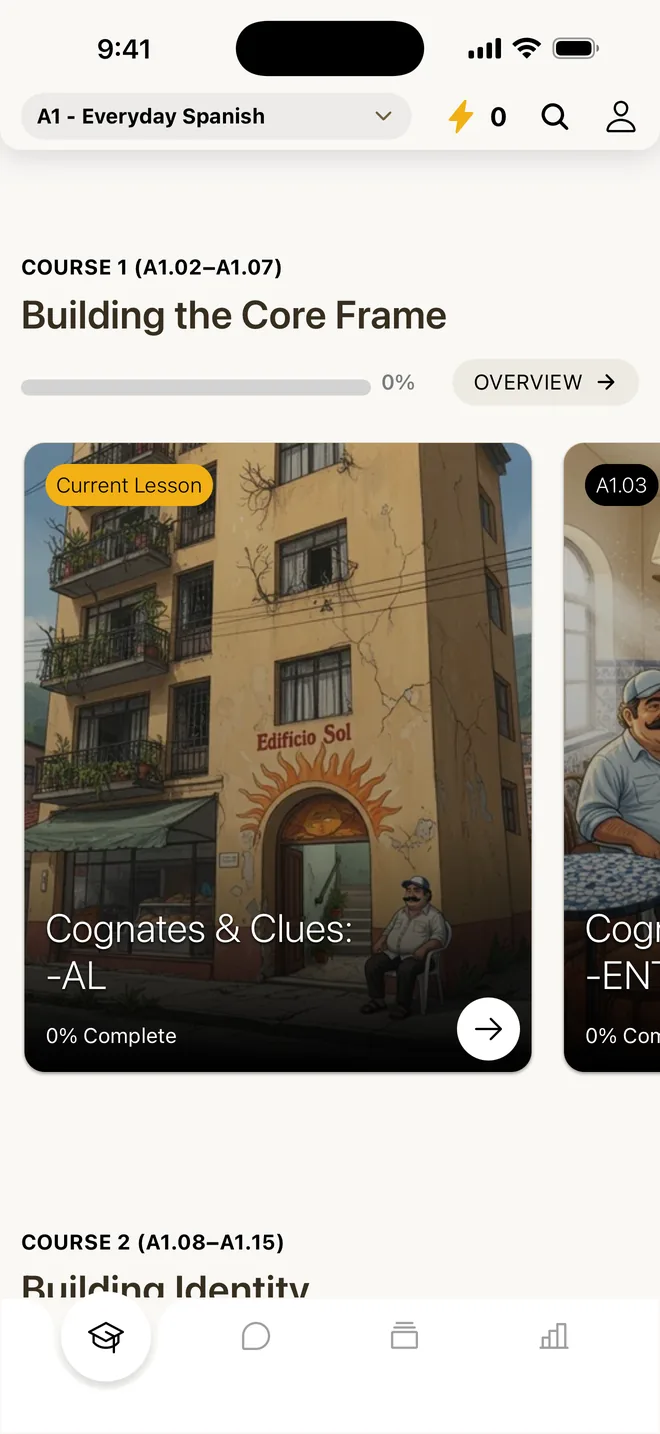
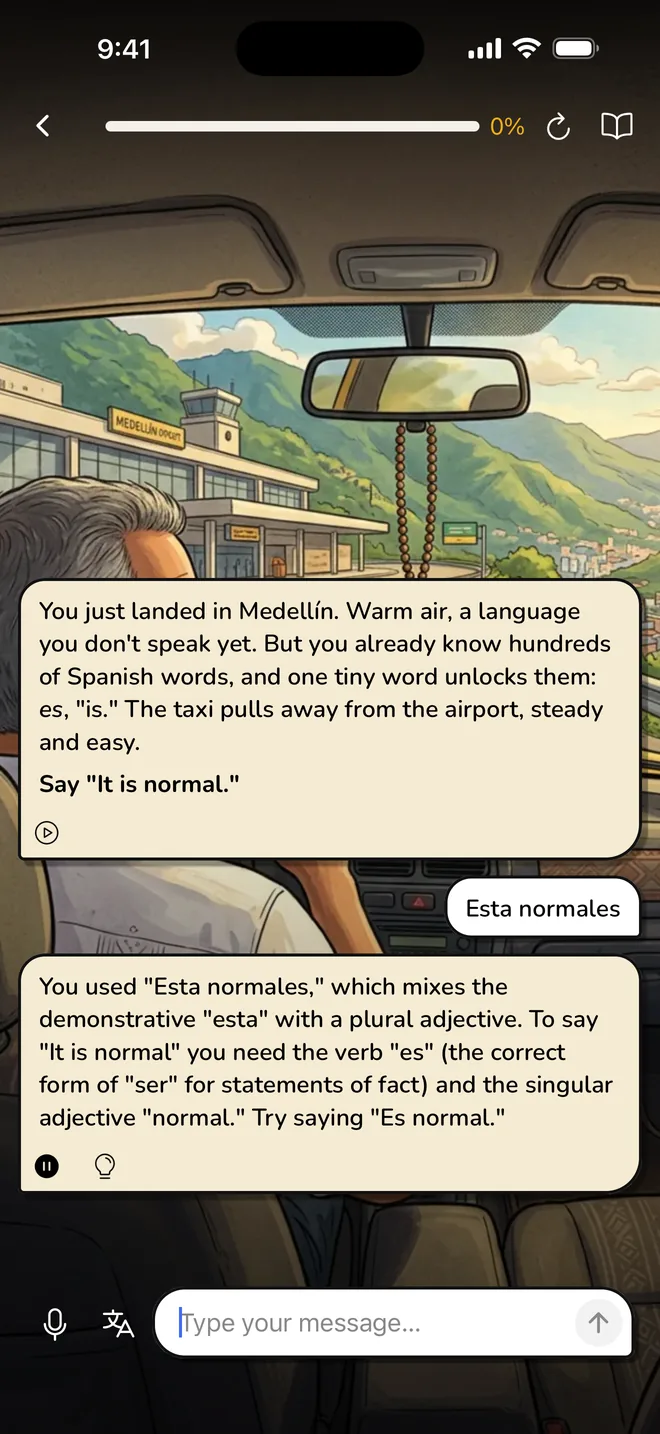
For what it’s worth, here’s how our own app answers the same three questions. In Avita every lesson is a spoken conversation inside a story. A character talks to you and you answer out loud, in full sentences you build yourself, about 50 times a lesson (about 60 in German). Every answer gets a score, a natural corrected version and a short reason why. You can ask for a hint or a translation, or type when you can’t talk.
What we don’t do matters too. We don’t score pronunciation, so if your accent is your main worry, Rosetta Stone’s TruAccent does something we don’t. We have no human teachers, so if you want a live person, Rosetta Stone’s tutoring or a site like italki is the better pick. And we teach six courses, not 25 languages or Duolingo’s long list.
If you already use Duolingo or Rosetta Stone and like it, keep going. More speaking inside those apps helps you. Add something that makes you build and say your own sentences, a few times a week, and you’ll notice the difference when someone talks back. Our guide to practicing speaking alone has ways to do that with or without an app.
Our take: The best news this month is that two of the best-known apps are pushing people to speak more. When you try any speaking feature, check whether you’re building the sentence yourself and saying it out loud, because that’s the practice that carries over to a real conversation.
Questions people ask
Is Duolingo Max being discontinued?
Yes. In its third-quarter 2026 shareholder letter, dated November 3, Duolingo said it would stop selling new Max subscriptions in November 2026, because unlimited Video Call is becoming part of Super. Existing individual Max subscribers move to a Super family plan at the same price. Duolingo said it will decide what happens to Max family plans in 2027.
Does Duolingo Super include Video Call now?
Partly. According to Duolingo's November 2026 shareholder letter, new Super subscribers have had unlimited Video Call access since the previous quarter, and the company is on track to give it to all Super subscribers by the end of 2026. If you subscribed to Super earlier and don't see it yet, Duolingo's stated timeline is the end of the year.
What are Duolingo Image Flashcards?
An exercise Duolingo introduced on October 19, 2026. At the end of a lesson you see a picture and say the word out loud, with no answer choices. If you miss it, you see and hear the correct word and the card comes back later, and at the end you see a list of the words you struggled with. A Can't speak now button lets you skip speaking.
Are Rosetta Stone Chat Missions spoken or typed?
Typed. Rosetta Stone's support page says you type your replies to a virtual conversation partner, working toward three goals in each of 25 scenarios. Chat Missions run in a web browser; the Sapphire phone app opens them in your mobile browser. You can play the partner's messages aloud, and spelling, grammar and vocabulary corrections are highlighted in green.
How do I know if an app's speaking practice will help me hold a conversation?
Ask three questions. Do you build the sentence yourself, or repeat or recall something given to you? Do you say it out loud, or type it? And what gets corrected: pronunciation, right or wrong, or your grammar with a reason? Practice where you build full sentences yourself and say them out loud is the closest to a real conversation.