
On this page
Rosetta Stone has been teaching languages for more than 30 years, and its idea is still a bold one: no translations, just pictures, native-speaker audio and your own reasoning. In 2026 it relaunched as Rosetta Stone Sapphire, with new conversation practice, flashcards and a redesigned app. We read through Rosetta Stone’s site, blog and support pages in October 2026 to see how much of a lesson you spend speaking, and what gets checked when you do.
What is Rosetta Stone?
Rosetta Stone is a subscription app and website. One subscription covers all 25 of its languages, including several we don’t teach: Japanese, Korean, Chinese, Arabic, Hindi, Hebrew, Greek, Farsi, Vietnamese, Tagalog, Irish, Latin and more. Spanish comes in a Latin American and a Spain version, and English in American and British.
The core is the learning path. Each language is split into units of four lessons, and each lesson has around 8 to 12 activities. Rosetta Stone calls its method Dynamic Immersion: everything is in the language you’re learning, and you work out meaning from pictures and context instead of translations or grammar drills. Lessons can be as short as 5 minutes.
Sapphire adds three things around the path:
- Chat Missions: typed conversations with a virtual partner in 25 everyday scenarios, like taking a taxi or bargaining at a market.
- Flashcards: more than 500 topic sets per language.
- Sapphire Studio: tools that generate your own matching games, word lists, simplified texts and email drafts.
Rosetta Stone also sells one-to-one sessions with human tutors. Those are bought separately, in packs of five or ten 30-minute sessions, and run through the tutoring site Wyzant. The app offers a 7-day free trial; after that it’s a monthly or yearly subscription.
Avita vs Rosetta Stone at a glance
| Avita | Rosetta Stone | |
|---|---|---|
| How you answer | Out loud, in full sentences | Choosing pictures, matching, and saying words and phrases shown on screen |
| Speaking per lesson | About 49 spoken answers (German about 60) | Speaking activities in nearly every lesson; no published count |
| What you say | You build the sentence yourself from an English prompt | You read or repeat a word or phrase |
| Feedback on each answer | A score, a natural corrected version and a short reason why | Pronunciation feedback from TruAccent |
| Open conversation | Spoken role-play scenarios and open chat (Avita Pro) | Chat Missions, typed, in a web browser |
| Structure | One continuing story per course | Units of four lessons on themes like shopping and travel |
| Grammar teaching | A short explanation in your own language before each conversation | Learned in context from pictures (Dynamic Immersion), not grammar drills |
| Languages | Spanish, French, Italian, German for English speakers; English for Spanish and Italian speakers | 25, all included in one subscription |
| Human teachers | None | Optional paid tutoring, 30-minute sessions |
| Where it runs | iPhone and Android | iPhone, Android, web |
| Free option | First 5 lessons of every level; a free account gets 3 days of full access, no card | 7-day free trial |
| Best for | People who need to speak soon | Exploring several languages, learning without translation |
What a lesson feels like in each
A Rosetta Stone lesson
You start a lesson on a topic like greetings or shopping. A native speaker says a phrase and you pick the picture that matches. Then you match a set of images to their phrases. Many lessons open with key vocabulary that you’re prompted to say aloud, and as you go you’re asked to read and pronounce phrases on screen. Each time you speak, TruAccent, Rosetta Stone’s speech recognition, compares your voice with recordings of native speakers and tells you how well you said it, and you can retry. At the end of some units there’s a Milestone, a speaking activity where you have a conversation with a pre-recorded native speaker.
The lesson is designed to work without translation. When it clicks, it’s satisfying, because you figured it out. When it doesn’t, you’re guessing at a picture.
An Avita lesson
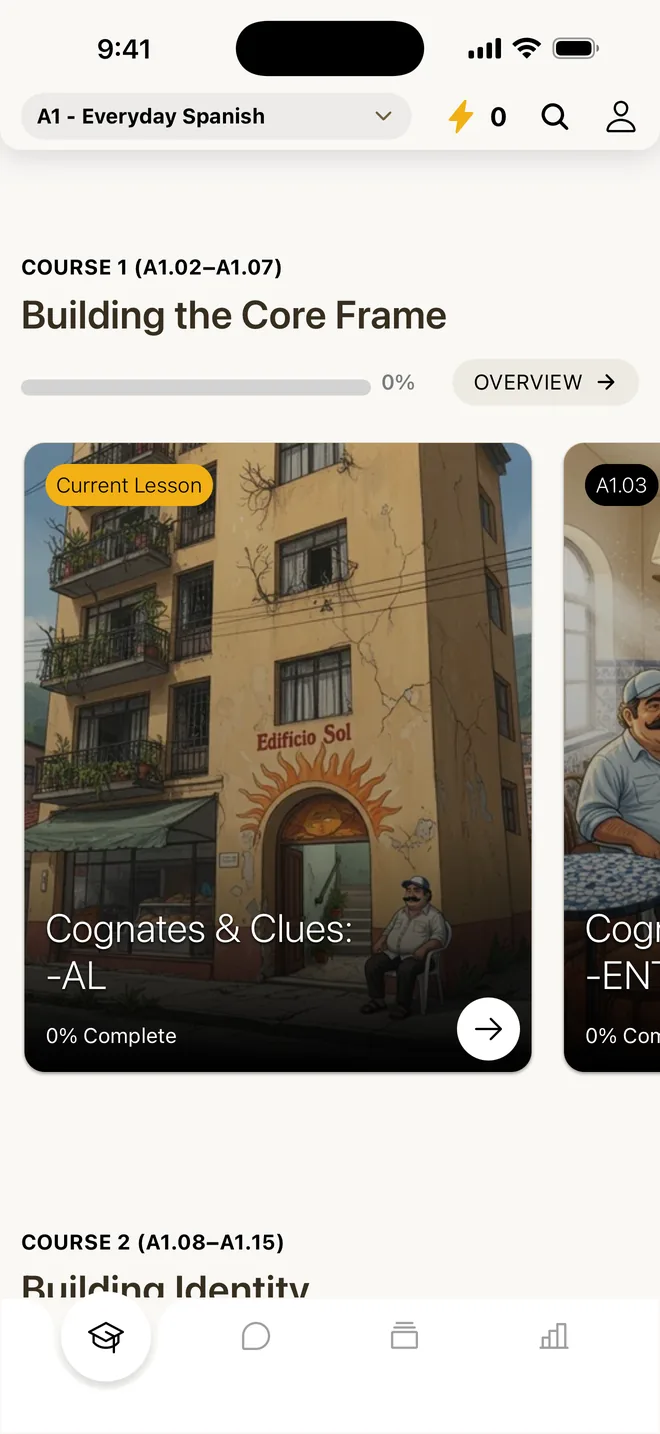
Here’s our Italian lesson on asking politely. It opens with Read: a short text that teaches the lesson’s phrases, like vorrei (I would like), posso (can I) and mi puoi portare (can you bring me). Listen reads it aloud with each word highlighted. There’s an optional flashcard warm-up with the lesson’s key words.
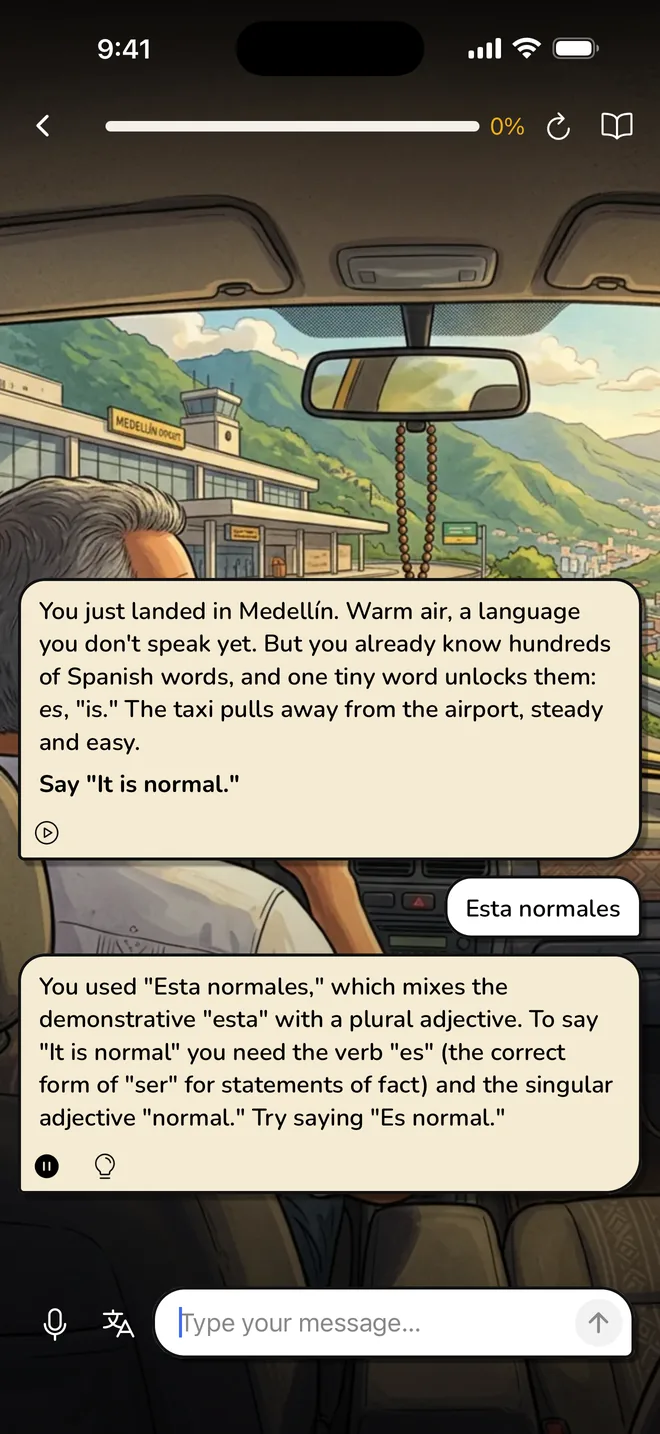
Then you Speak. It’s December in Bologna, the long table under the portico is full, and Teo is playing waiter with a notepad. You order with voglio un caffè (I want a coffee), and Amir winces: too blunt. The prompt says: Say “I would like a coffee, please.” You say Vorrei un caffè, per favore. Teo writes it down and doesn’t move. Over the next few minutes you ask Pina for a croissant (Posso avere un cornetto?), ask to come into the warm oven room (Posso entrare?), order for a friend who has lost her voice, and finally ask for the bill (Mi puoi portare il conto?). Your coffee never arrives. If you get stuck, you can ask for a hint or a translation, and you can type when you can’t talk.
That lesson has you say 49 things out loud.
Speaking practice compared
Both apps have you speak in almost every lesson, so the useful difference is what you’re asked to say.
In a Rosetta Stone lesson you speak words and phrases that are in front of you or that you just heard. TruAccent checks how close your pronunciation is to a native speaker’s. That’s good practice for your mouth and your ear. What it doesn’t make you do is come up with the sentence yourself, which is the part that breaks down in a real conversation. Rosetta Stone also lets you turn speech recognition off entirely. You still hear the audio, but you aren’t asked to repeat it, and the lesson moves on when the audio ends.
Chat Missions are the part of Sapphire that does ask you to come up with your own sentences. You get three goals (for a café scene: order a small latte, ask about non-dairy milk, ask where the restroom is) and you reach them however you like. But according to Rosetta Stone’s support page, you type your replies, and Chat Missions only run in a web browser. On a phone, the app opens them in your mobile browser. That makes them good writing practice, and your voice stays out of it.
In Avita you build every sentence yourself, out loud, from the meaning: about 49 times a lesson (about 60 in German), or roughly 10,000 spoken answers across a course (about 12,000 in German). Merrill Swain’s output hypothesis (1985) is the classic argument for why that matters: when you try to say something and can’t, you notice the gap, and that pushes you to learn what fills it.
Rosetta Stone doesn’t publish a count of speaking turns per lesson, so we won’t invent one. If you’re trying both, count how many times in one lesson you said a sentence that wasn’t already on the screen or in your ear.
Feedback compared
TruAccent is good at what it does. It scores how you pronounce each word or phrase and lets you try again, and it even has a setting for children’s voices. Avita doesn’t score pronunciation, so if your accent is your main worry, that’s a point for Rosetta Stone.
In Chat Missions, Rosetta Stone highlights spelling, grammar and vocabulary corrections in your typed messages, offers a translation of any message, and has a lightbulb with tips for improving each reply.
Avita grades every spoken answer. Each one gets a score, a natural corrected version, and a short reason why. Say you order with Voglio un caffè. You’ll see the natural version, Vorrei un caffè, per favore, with a note that vorrei is the polite way to ask and voglio sounds like a demand. The grammar explanation is in your own language, so you know why it changed, and the next prompt asks you to use it again.
Who should pick Rosetta Stone
Rosetta Stone is the better choice if:
- You want a language we don’t teach. With 25 to choose from, including Japanese, Korean, Mandarin, Arabic and Hindi, this is often the deciding factor.
- You want to try several languages without paying for each one.
- You like learning without translation and enjoy working things out from pictures.
- You care most about your accent and want each word scored against native speakers.
- You want the option of paid sessions with a human tutor, or you want to learn on a computer.
- You’re setting it up for a child. TruAccent has a child voice setting.
Who should pick Avita
Avita is the better choice if:
- You need to talk soon: a move abroad, a partner’s family, a job that needs Spanish, French, Italian or German.
- You want to know why something is said a certain way, in plain English, before you have to say it.
- You understand more than you can say and freeze when it’s your turn. Our guide to understanding but not speaking is for you.
- You want your conversation practice spoken, not typed.
- You want a story that pulls you back: neighbors in Medellín for Spanish, a new life in Bologna for Italian, a new life in France for French, an allotment garden colony in Berlin for German.
Using both together
The two train different things, so they fit together. Rosetta Stone’s picture-and-audio lessons and TruAccent are good for your ear and your accent. Chat Missions are good typing practice. Avita is where you say sentences you had to build yourself and get each one corrected. If you already have a Rosetta Stone subscription, a simple split is a Rosetta Stone lesson in the morning and an Avita lesson in the evening, in the same language.
If you’re only paying for one and the language you want is on our list, think about what you need to do in six months. If it’s “hold a conversation,” the speaking volume matters more than the picture method.
Our take: For speaking, Avita is built around the hard kind of practice: about 49 sentences a lesson that you build yourself, out loud, each one graded and corrected. Rosetta Stone is the better pick if you want a language outside our six courses, want to sample several languages on one subscription, or care most about polishing your pronunciation, and its 7-day trial makes it easy to check.
Questions people ask
Is Rosetta Stone good for speaking?
Rosetta Stone has you speak in nearly every lesson, and its TruAccent speech recognition compares your pronunciation with native speakers and lets you retry. Most of that speaking is saying words and phrases that are on screen or that you just heard, which is good for your accent. It asks you to come up with your own sentences less often, mainly in Milestone activities at the end of some units and in Chat Missions, which are typed.
What is Rosetta Stone Sapphire?
Sapphire is the relaunched version of Rosetta Stone, introduced in 2026. It keeps the Dynamic Immersion lessons and TruAccent speech recognition and adds Chat Missions (typed conversation practice), flashcard sets on 500+ topics per language, and Sapphire Studio for making your own matching games, word lists and simplified texts. Every subscription includes all 25 languages, on a monthly or yearly plan.
Are Rosetta Stone Chat Missions spoken or typed?
Typed. According to Rosetta Stone's support page, your virtual partner sends the first message and you type your replies, working toward three goals per scenario. You can play the partner's messages aloud, see translations and get tips, and corrections to spelling, grammar and vocabulary are highlighted. Chat Missions run in a web browser; on a phone, the Sapphire app opens them in your mobile browser.
Does Rosetta Stone include live tutors?
Not in the base subscription. Rosetta Stone sells one-to-one tutoring separately, in packs of five or ten 30-minute sessions with tutors certified by Rosetta Stone, hosted on Wyzant, where you pick a tutor and schedule. Avita has no human teachers; all of its speaking practice happens in the app, with every answer graded and corrected.
Can I try Rosetta Stone or Avita for free?
Rosetta Stone's app offers a 7-day free trial, then a monthly or yearly subscription. Avita lets you start without an account, the first 5 lessons of every level are free, and a free account gets 3 days of full access with no card. Avita Pro adds every lesson in every course, role-play scenarios and open chat.
Does Avita teach without translation like Rosetta Stone?
No. Avita explains each lesson's grammar and words in a short text in your own language before you speak, and Listen reads it aloud. Then you answer a character from the story out loud in the language you're learning. Rosetta Stone takes the opposite approach on purpose: you work meaning out from pictures and audio. Which suits you is partly taste; if you like knowing why before you try, Avita fits better.